Blog · Guides
Mac mini Rental: Everything You Need to Know
What Mac mini rental really means: dedicated hardware, terms, chips and memory, IP type and location, access, payment, renewals and cancelling.
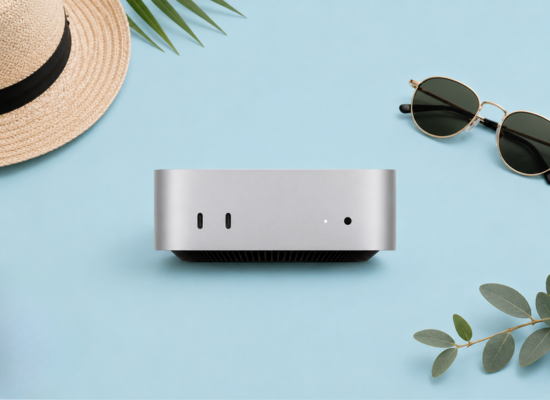
Mac mini rental gives you a real Apple silicon Mac in a data centre, reachable from anywhere, for a monthly fee. This guide covers everything you need to know before you order, from terms and chips to renewals.
What Mac mini rental actually means
When you rent a Mac mini from Hatmac, you get one physical Mac that is assigned to you alone. It is not a virtual machine and it is not a slice of a shared server. Nobody else logs in to it, runs jobs on it or sees its disk while it is yours.
The Mac lives in a hosted environment with power and network handled for you. You reach it over the internet with a remote desktop tool or SSH. On screen it behaves like any Mac on your desk: a full macOS desktop, a terminal, the App Store and admin rights.
What is included:
- The Mac itself, in its listed configuration, for the length of your term.
- Hosting, power and network connectivity.
- Setup of the remote access methods configured for your machine.
- An IP type chosen at checkout, and a node location where offered.
- Support tickets from your account, in English or Simplified Chinese.
What is up to you: the software. You install Xcode, Homebrew, CI runners, Ollama, agents and anything else you need, the same way you would on your own Mac. If you want a deeper comparison with virtual machines, read dedicated vs shared cloud Macs.
Choosing a machine: chip and memory
Start from the workload, not the chip name. Memory is usually the first limit you hit, so size it before anything else.
| Machine | Memory / SSD | Good fit |
|---|---|---|
| Mac mini M4 | 16GB / 256GB | One developer, light CI, remote desktop work, small local models |
| Mac mini M6 | 16GB / 256GB | The same jobs on a newer chip |
| Mac mini M6 | 24GB / 512GB | Xcode with several Simulators, busier CI, models up to roughly 14B |
| Mac mini M5 Pro | 24GB / 512GB | Heavier builds and long-running services |
| Mac Studio M5 Max | 36GB / 512GB | Larger models, roughly the 30B class, and demanding media work |
| Mac Studio M5 Ultra | 96GB / 1TB | 70B-class 4-bit models and the biggest jobs |
For local language models, a useful rule of thumb is that a 4-bit quantised model needs roughly 0.5 to 0.7 GB of memory per billion parameters, plus room for context. By default macOS lets the GPU use most of unified memory, roughly two-thirds to three-quarters. Longer contexts need more. Our post on local LLM memory on Apple silicon goes further.
Storage matters for iOS work. Xcode, its Simulators and derived data grow quickly, so 512GB is the comfortable minimum for a busy build machine. More memory or storage is available on request; tell us what you need.
Choosing a term
Hatmac offers three terms: monthly, 6 months and 12 months. Longer terms cost less per month.
Mac mini M4
16GB · 256GB SSD
Everyday iOS builds, CI runners and remote macOS.
from $119/mo
- Monthly$149/mo
- 6 months$139/mo
- 12 months$119/mo
Mac mini M6
Most popular16GB · 256GB SSD
Newer chip for faster compiles and test runs.
from $129/mo
- Monthly$169/mo
- 6 months$159/mo
- 12 months$129/mo
Mac mini M6
24GB · 512GB SSD
More memory and storage for larger projects and caches.
from $229/mo
- Monthly$269/mo
- 6 months$259/mo
- 12 months$229/mo
Mac mini M5 Pro
24GB · 512GB SSD
Pro-class CPU and GPU for heavy builds and small models.
from $399/mo
- 6 months$429/mo
- 12 months$399/mo
Mac Studio M5 Max
36GB · 512GB SSD
High GPU throughput for ML, rendering and parallel CI.
from $599/mo
- 6 months$699/mo
- 12 months$599/mo
Mac Studio M5 Ultra
For AI96GB · 1TB SSD
96GB unified memory for large local LLMs and fine-tuning.
from $1,299/mo
- 6 months$1,399/mo
- 12 months$1,299/mo
Prices in USD per month for each machine's starting configuration. More memory, storage or several machines? Ask us.
- Monthly suits trials, short projects and uncertain demand. It is available on Mac mini M4 and Mac mini M6.
- 6 months suits a defined project or a release cycle.
- 12 months gives the lowest monthly price and suits permanent CI, servers and agents.
Mac mini M5 Pro, Mac Studio M5 Max and Mac Studio M5 Ultra are offered on 6- and 12-month terms only. Prices are for each machine's starting configuration. For several machines, ask for a quote through the contact page.
IP type and location at checkout
At checkout you choose an IP type, Static IP or Residential IP, as offered for the machine. Where offered, you also choose a node location.
A static IP is the usual choice for servers, CI runners and anything you allow-list in a firewall. A residential IP suits work where a consumer-style address matters. Residential IP availability is confirmed per country, so check what the order page shows, or ask before you order. The Mac mini residential IP page explains more.
Pick a location close to you or to the services your Mac talks to most. Lower latency makes remote desktop feel smoother.
How you access your Mac
After payment we set up the Mac and email you when it is ready. Your access details appear under "My Macs" in your account.
Hatmac staff can set up several remote access methods per machine: DeskIn, ToDesk, AnyDesk, RustDesk, TeamViewer, Chrome Remote Desktop, Parsec, SSH and Screen Sharing (VNC). You see the methods configured for your Mac. Most people use one graphical tool for the desktop and SSH for the terminal. Our guide to accessing a remote Mac compares them in detail.
Paying for your rental
Every checkout is in USD. You can pay by card (Visa, Mastercard, Amex) through Stripe, by PayPal, or with Bitcoin or USDT. You can also top up account credit and use it to pay invoices, which helps if your company prefers to fund an account in advance.
Renewals and cancelling
Renewal invoices are issued before your renewal date, with reminders, so there are no surprises. In your account you can change the term at renewal, for example moving from monthly to 12 months once a project proves itself.
To stop, cancel at the end of the term in your account. Before the term ends, copy off anything you want to keep. Treat the rented Mac like any server: your data should live in Git, an artifact store or a backup you control.
Typical use cases
- iOS and macOS development from a Windows or Linux machine. See building iOS apps without a Mac.
- CI/CD runners for GitHub Actions, GitLab or Jenkins. See macOS CI/CD runner.
- Local LLM servers with Ollama or MLX, private by default.
- AI agents that need a Mac running around the clock. See AI agents on Mac mini.
- A remote Mac desktop for occasional Mac-only apps.
If you are still deciding whether to rent at all, read rent vs buy a Mac mini.
FAQ
Is a Mac mini rental shared with other customers?
No. Each machine is a dedicated physical Mac assigned to one customer. It is not a VM and not shared.
How quickly is my Mac ready?
After payment we set it up and email you. The access details then appear under "My Macs" in your account.
Can I install anything I like?
Yes. You get a full macOS desktop and terminal and can install Xcode, Homebrew, runners, Ollama, agents and other tools yourself.
Can I switch from monthly to a longer term?
Yes. You can change term at renewal in your account. Longer terms cost less per month.
Is Hatmac part of Apple?
No. Hatmac is independent and not affiliated with Apple.